Modifying
IsPerformanceTracingEnabled
IsPerformanceTracingEnabled controls whether Visual Guard records detailed performance timing information in trace logs. When enabled, it helps identify execution delays and performance bottlenecks for troubleshooting and optimization.
To modify the IsPerformanceTracingEnabled follow the steps below:
- Select the Repository > Application > Generate Visual Guard Configuration Files menu.
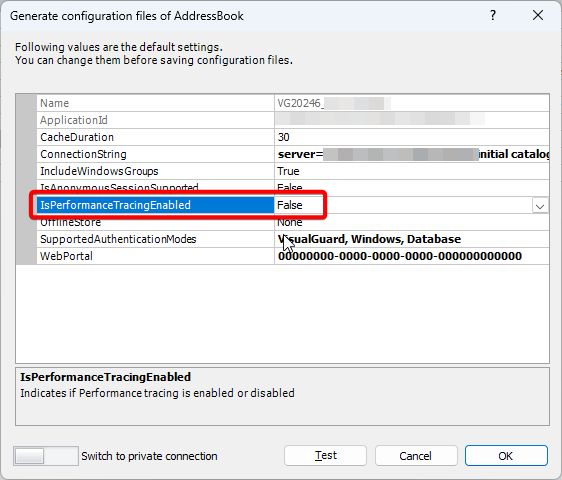
- The details of the associated Configuration Files will be displayed as shown below.
- Click on the IsPerformanceTracingEnabled row, “V” will appear at the end.
- Click “V” , a dropdown list will appear.
- Select True if the performance tracing should be enabled else select False.