Modifying
Supported Authentication Modes
Supported Authentication Modes displays the application modes supported by the application. You can select multiple modes.
Please Note: Values that are compatible with the authentication mode will be available for selection.
To modify the Supported Authentication Modes, follow the steps below:
- Select the Repository > Application > Generate Visual Guard Configuration Files menu
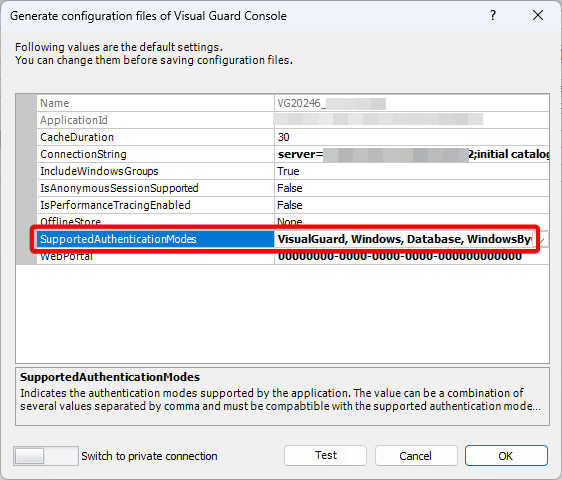
- The details of the associated Configuration Files will be displayed as shown below
- Click on the Supported Authentication Modes row, “V” will appear at the end
- Click “V” , a dropdown list will appear and you can select your choice of the authentication mode for your application