Modifying
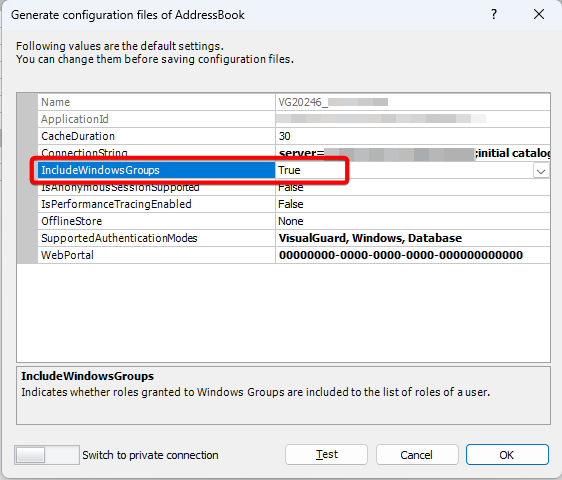
Include Windows Groups
Windows Groups option displays whether the roles granted to Windows Groups are to be included in the roles of the user.
To modify the Windows Groups, follow the steps below:
- Select the Repository > Application > Generate Visual Guard Configuration Files menu.
- The details of the associated Configuration Files will be displayed as shown below.
- Click on the IncludeWindowsGroups row, “v” will appear at the end.
- Click “V” a dropdown list will appear.
- Select True if the roles of the windows group are to be included in the user roles else select False.