




Create a Sub-Group
The Create a Sub-Group feature in Visual Guard allows administrators to organize groups into a hierarchical structure by creating groups within existing groups. This helps in structuring users and permissions more effectively, especially in complex or large-scale environments.
By using sub-groups, administrators can break down access control into more granular levels, making it easier to manage roles and responsibilities across different teams or departments. Sub-groups inherit and extend the overall group structure, enabling more flexible and scalable security management.You can create the sub groups under a parent group.
Note: Subgroups inherit parent group roles.
Follow the steps below to create a sub group.
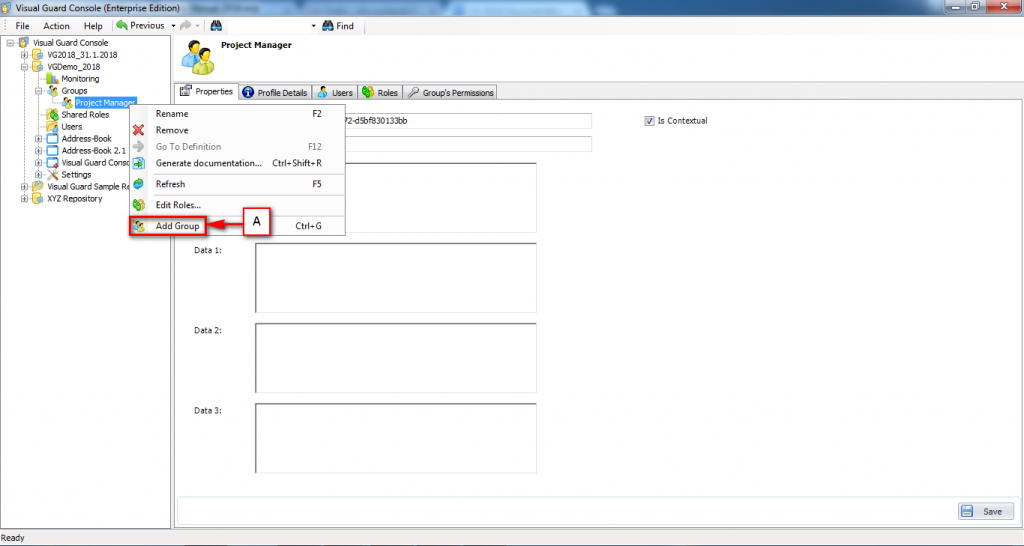
Login to the Repository and select the Group for which you want to create the sub group, right click and click on Add group (A)
See also: